Shape
9:16, 16:9 or 1:1: Pick the Shape of Your Video
9:16 or 16:9? vidmi makes your video in either, or in square 1:1. Go vertical for your phone, wide for the TV, square for the feed.
Three frames. One tap.
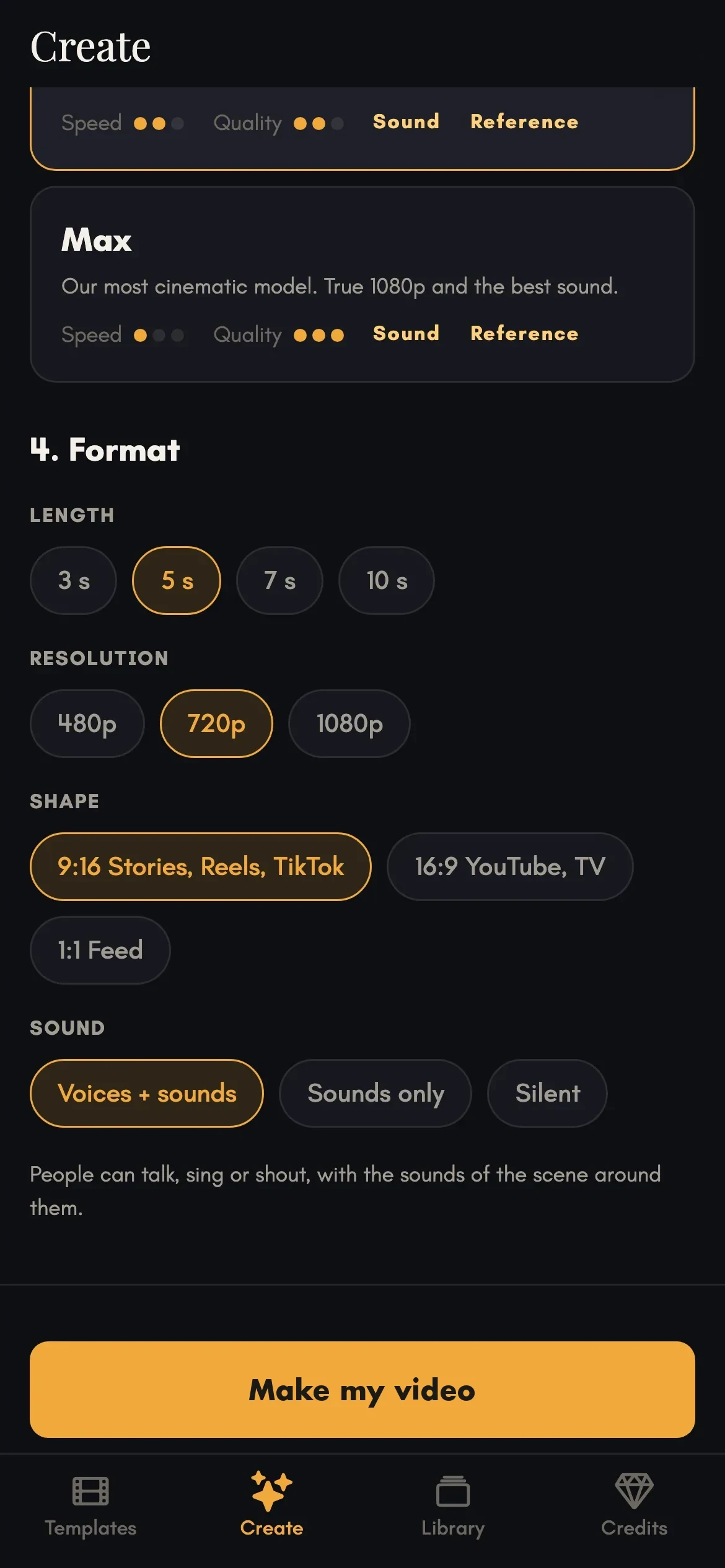
Every video you make has a shape. In the Create tab, under “4. Format”, you will find “Shape” with three choices, each labeled with where it fits best. If you are torn between 9:16 or 16:9, the short answer is vertical for a phone, wide for a TV or YouTube.
- “9:16 Stories, Reels, TikTok”. Tall and full screen. The default.
- “16:9 YouTube, TV”. Wide and cinematic.
- “1:1 Feed”. Square.
Pick one before you tap the main button. The choice is made before the video, not after.
Why vertical comes first
Most videos are watched on the screen in your hand, held upright. A 9:16 video is the tall frame that fits a phone held that way, so there is no turning it sideways. It is the shape the app labels for Stories, Reels and TikTok.
Vertical also suits a single face, which is what every vidmi video is built around. Every template sample is shown as “5 s · 9:16”, and 9:16 is what you get unless you change it. For more on short vertical clips, see short AI video for your phone.
When to go wide
Choose 16:9 when your film is headed for a bigger screen. A video for a family gathering on the living room TV. A clip at the start of a YouTube video. An anniversary slideshow on a laptop.
A wide frame has more room at the sides, so it can suit a scene built around a place, like a Moon surface or an old street, as much as around a person.
When to go square
Choose 1:1 for feeds that show posts as squares. A square sits between the two: not as tall as a Story, not as wide as a TV.
See the difference yourself
The quickest way to learn which shape you like is to make the same scene twice. Make Smoky Jazz Bar in 9:16, tap “Make another”, and choose 16:9 or 1:1 for the second one. Same scene, a different frame. Then use the one that matches where it will be watched.
Shape works with everything else
Shape sits next to “Length” and “Resolution” in the Format section, and you can mix them freely. A 10 second wide film in 1080p. A 3 second square film in 480p.
Shape is a choice on the Create tab whether you start from a template or write your own scene.
New to the terms? What is aspect ratio explains all three. For which shape fits which app, from Shorts to Stories to group chats, see aspect ratio by platform. If a post comes out cropped, read why a video is cropped on Instagram. For a short history of the frame, read from 4:3 to 9:16. And to choose how long your film runs, see video length.
Questions
Which shape does vidmi use if I don't choose one?
Vertical 9:16. It is the default on the Create tab, and every template's sample is filmed in it.
Can I change the shape of a template?
Yes. Pick any template, then choose 16:9 or 1:1 under "Shape" in the Format section before you make your video.
Can I change the shape after the video is made?
No. The shape is chosen before the video is made. For another frame, tap "Make another" and choose a different shape.
Is the shape available on my free video?
Yes. Free videos are 480p, 3 seconds on Fast, and you still choose the shape and the sound.