Video sizes
The Best Aspect Ratio for TikTok, Reels, Shorts and TV
vidmi makes videos in three shapes, which cover most social media video sizes. Use 9:16 for TikTok, Reels, Shorts and Stories, 16:9 for YouTube and TV, and 1:1 for feeds.
Decide where it lives first
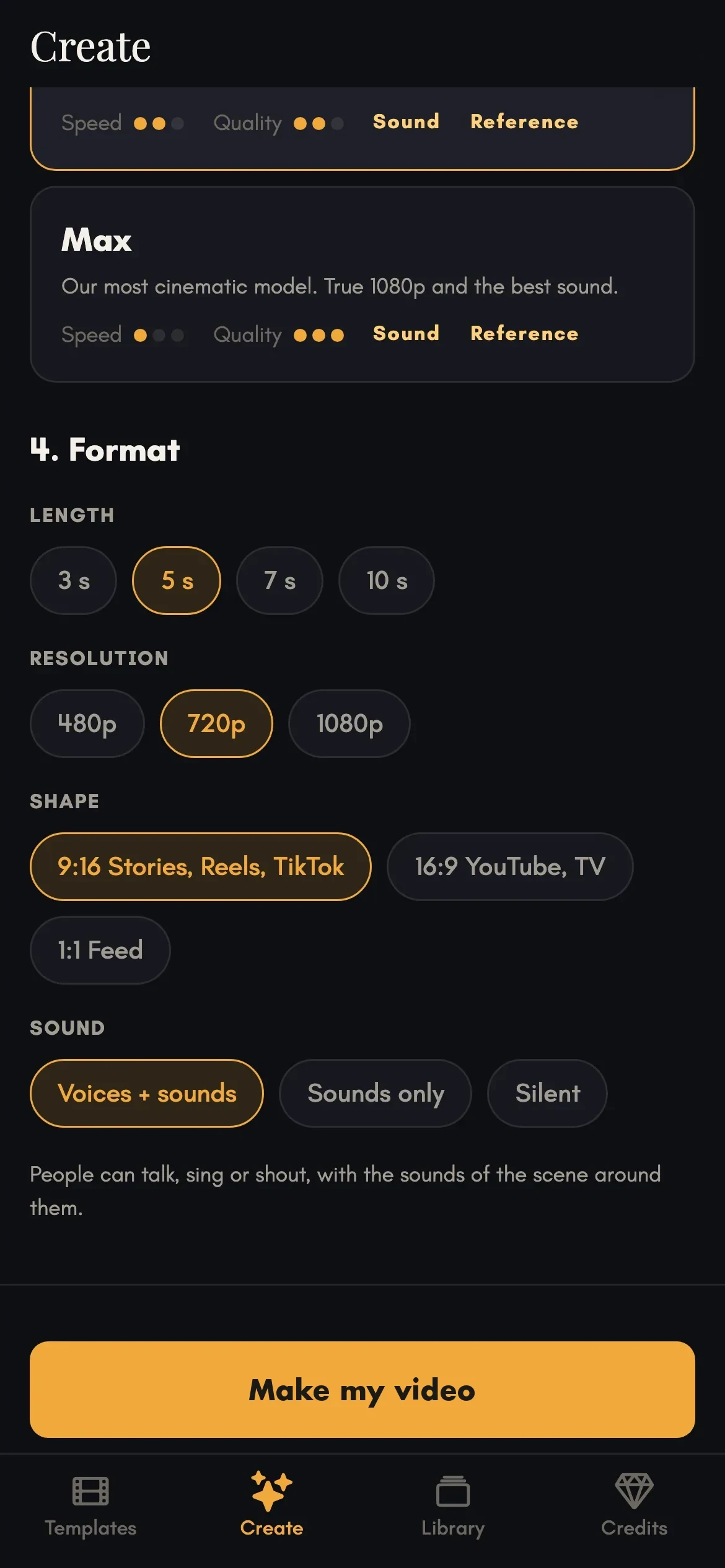
The right social media video size is the one that fills the screen where people will watch. Every vidmi film is made in one of three shapes, chosen under “Shape” in the “Format” section of the Create tab. The shape is set before you make the film, so pick it first.
Ask one question before you tap: where will most people watch this? The answer picks the shape.
The platform table
| Where it goes | Shape to pick | If you pick another shape |
|---|---|---|
| TikTok | 9:16 | A wide film can play as a thin strip with bars above and below |
| Instagram Reels | 9:16 | Wide or square films can show with bars |
| Instagram Stories | 9:16 | Another shape may not fill the screen |
| YouTube Shorts | 9:16 | A wide film can play small, with bars |
| Snapchat | 9:16 | Another shape may not fill the screen |
| YouTube | 16:9 | A vertical film can play with black sides |
| A TV or laptop screen | 16:9 | A vertical film uses only part of the screen |
| Instagram or Facebook feed | 1:1 | A vertical film may be trimmed in the feed |
| Messages, WhatsApp, group chats | 9:16 | Any shape plays; vertical fills the phone |
The default, “9:16 Stories, Reels, TikTok”, covers five of these at once. That is why it comes first. Apps change how they show video, so check your first post before you make a batch.
Mind the overlays on vertical apps
On TikTok, Reels and Shorts, your film sits under the app’s own buttons and text. Like and share buttons usually run down the right edge, and the caption and account name sit near the bottom. Each film also carries the small vidmi mark in the bottom-right corner, so look at your first post to see what the app’s buttons cover.
vidmi has no setting for where the face sits in the frame. If something you care about is covered, make another version.
Crop risks, platform by platform
Instagram. A Reel can look different on your profile grid than in the Reels tab, because the grid may show a different crop. Anything near the very top or bottom of the frame is what can get trimmed.
YouTube. A 16:9 film suits a regular YouTube video. A 9:16 film suits Shorts. Use the vertical film for YouTube Shorts and the wide one for your channel’s main videos.
Feeds. Square sits neatly in most feeds and takes the same space as a photo. If your film is going into a feed post next to photos, 1:1 keeps it tidy.
For a crop you have already run into, see video cropped on Instagram.
When you need two formats
Say you want Viking Longship as a TikTok and as a wide clip for a family slideshow on the TV.
- Make the first film in 9:16.
- On the finished video, tap “Make another”. It starts a new video with the same scene.
- In “Format”, change “Shape” to “16:9 YouTube, TV” and make it.
The wide one is a new video, not a stretched copy of the first. If you want both versions to move alike, use a template and turn on “Use this video as reference” for both. Each film then follows the sample’s camera moves and timing closely.
Keep everything else the same too: same model, same length, same sound. Then the pair feels like one film in two frames.
The short version
- Going to a phone, upright: 9:16.
- Going to a big screen or a YouTube video: 16:9.
- Going into a feed next to photos: 1:1.
For a closer look at the three frames side by side, see aspect ratios, or what an aspect ratio is if the numbers are new. Ready to post? Start with sharing to TikTok, sharing to Instagram Reels or sharing to Snapchat. New to vidmi? Photo to video shows the whole path from one photo to a finished film.
Questions
Can I change the shape after the video is made?
Not inside vidmi. The shape is set when you make the film. For a second shape, tap "Make another" and pick a different one in "Shape".
Which shape should I pick if I'm not sure?
Keep the default, "9:16 Stories, Reels, TikTok". It is the tall frame that fills a phone held upright.
Why does my video look cropped after I post it?
The app you posted to may be fitting your frame into a different one. Matching the shape to the place the film will live is the first thing to try.