Series method
How to Keep the Same Face Across a Series of AI Videos
A consistent character in AI video comes from a method: one photo, fixed settings and a signature detail in every scene. It steadies a series, but it does not guarantee that two videos match.
vidmi makes one face per video, from one photo, and every video is made fresh. So you cannot lock a character in place. What you can do is hold every choice you control still, so each episode starts from the same place. This page is that method, for any run of videos made with photo to video.
Write the series bible first
Before episode one, open a note on your iPhone and title it with your series name. This is your series bible, and it is short. It holds the decisions you never want to make twice:
- The photo you will use.
- Your model, resolution, shape, and sound.
- Your signature detail.
- Your opening phrase.
- Your episode list.
Every time you sit down to make an episode, read the note first. Copy, don’t remember.
One photo, for good
Your recurring character is the face in one photo. Choose it carefully, following the app’s own tip: “One clear face, looking at the camera, good light. No sunglasses or group shots.”
A clear photo is the best start for every episode; how to choose the best photo shows what to look for. Then make it easy to find. Add it to Favorites, or to a Photos album named after the series. When it is time to “Add a face photo”, tap “Gallery” and pick that exact one, cropped the same way. A new photo, even a good one, is a new starting point.
Freeze your format
These settings shape how every episode looks and sounds. Pick them for the first episode and copy them into your note:
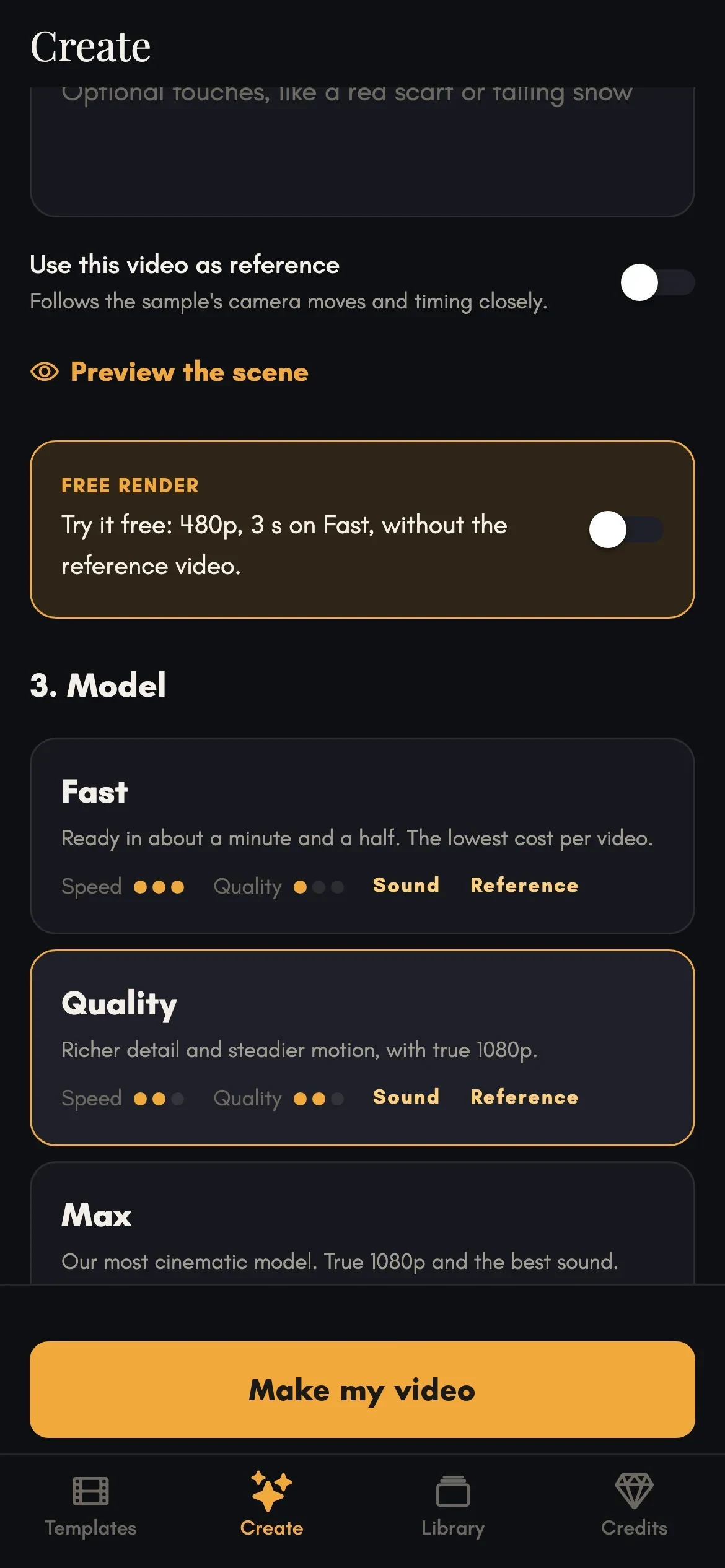
- Model. Quality is the app’s default and a sensible choice for a series. Fast is the lowest-cost way to test an idea. Pick one model for the whole run so the episodes start from the same settings.
- Resolution. One setting for everything, so no episode looks softer than the last.
- Shape. “9:16 Stories, Reels, TikTok” if the series lives on your feed, “16:9 YouTube, TV” if it plays on a big screen.
- Sound. If your character’s world has voices, choose “Voices + sounds” every time. The voices are generated and you cannot choose the words. If you add your own intro music, “Silent” leaves room for it.
- Length. Pick one and stick with it. A weekly series feels steadier when every episode runs the same length.
Give your character a signature
Audiences recognize a character by small, repeated details. Choose one or two and put them in every scene sentence.
Say your character is a time traveler. The signature is “a long brown coat and a brass pocket watch”. Episode one: “me in a long brown coat and brass pocket watch arriving on a 1920s Paris street at dawn”. Episode two: the same coat and watch, now on the deck of a ship in a storm. The places change. The coat stays in the sentence.
Using templates? Type the same signature into the “Customise” box every time, like “a red scarf”.
Pick a home base
Some of the best series return to one place. A family might send Grandpa at the Front as the opener of a monthly history series, then follow him through new eras. A creator might end every week on the same Rooftop Hero shot, watching over the city.
If your recurring scene is a template, consider turning on “Use this video as reference”. Your film then follows the sample’s camera moves and timing closely, so the recurring shot follows the same camera moves and timing every week. The reference video feature covers when that switch is worth it.
Name your episodes
vidmi doesn’t title your videos, so do it where people see them. Number every post in the caption, “Ep. 4”, and keep the numbering going in your series note so you never repeat a scene by accident.
Open each episode with a strong first beat; The First Second is about hooks that stop the scroll. Plan ahead in batches. Write four episode lines on Sunday and you will never stare at an empty box on a weeknight. If an episode tells a longer story across several scenes, plan it like a short film with the storyboard guide.
Keep the rhythm
A series is as much about timing as looks. Post on the same day each week, at about the same time, so people know when to look for the next one.
Who this works for
- Creators building a recurring character for their feed. See vidmi for content creators.
- Podcasters who want a short visual opener that matches every episode. See vidmi for podcasters.
- Families making a monthly film of a grandparent across history, saved to one shared album.
Same photo, same settings, same signature detail, a new world each time. That is how you plan a series.
Questions
Will my character look exactly the same in every episode?
Every video is made fresh, so expect differences from one to the next. Using the same photo, the same model and the same signature details may keep the episodes closer, but vidmi cannot promise an exact match.
Can I use a different photo of the same person later?
You can, but a new photo can shift the look. If consistency matters, pick one photo at the start and stay with it for the whole run.
Where do my episodes live?
Each one appears in the Library tab, newest first. The Library lists your 100 most recent videos, so save every episode to Photos too and keep them together in an album.